Publish via GitHub
Modify Widget Package Configuration
Modify the remote configuration in the widget.package.ts file in the root directory, changing the hostname to your GitHub Pages domain name and base to your repository name.
export default new WidgetPackage({
  remote: {
    base: '/hotspot',                   // 👈 github repository name, note: must start with a slash
    hostname: 'widget-js.github.io',    // 👈 github pages domain name
  },
})
Configure GitHub Actions
Create a .github/workflows directory in the project root, and create a github-page.yml file in this directory with the following content:
# This workflow will do a clean installation of node dependencies, cache/restore them, build the source code and run tests across different versions of node
# For more information see: https://docs.github.com/en/actions/automating-builds-and-tests/building-and-testing-nodejs

name: Deploy CI
permissions:
  id-token: write
  pages: write

on:
  push:
    branches: [ "master" ]
  pull_request:
    branches: [ "master" ]

jobs:
  build:
    runs-on: ubuntu-latest
    steps:
      - name: Checkout
        uses: actions/checkout@v4
      - name: Use Node.js
        uses: actions/setup-node@v4
        with:
          node-version: '18.x'
      - name: Build static files
        id: build
        run: |
          npm install
          npm run build
      - name: Upload static files as artifact
        id: deployment
        uses: actions/upload-pages-artifact@v3
        with:
          path: dist/

  deploy:
    environment:
      name: github-pages
      url: ${{ steps.deployment.outputs.page_url }}
    runs-on: ubuntu-latest
    needs: build
    steps:
      - name: Deploy to GitHub Pages
        id: deployment
        uses: actions/deploy-pages@v4
Commit Code
Commit the modified code to your GitHub repository, and GitHub Actions will automatically build and deploy it to GitHub Pages.
git add .
git commit -m "Add GitHub Actions workflow for deployment"
git push origin master # 👈 Note: replace master with your remote branch
After committing, you can view the build and deployment process in the Actions interface of your repository. 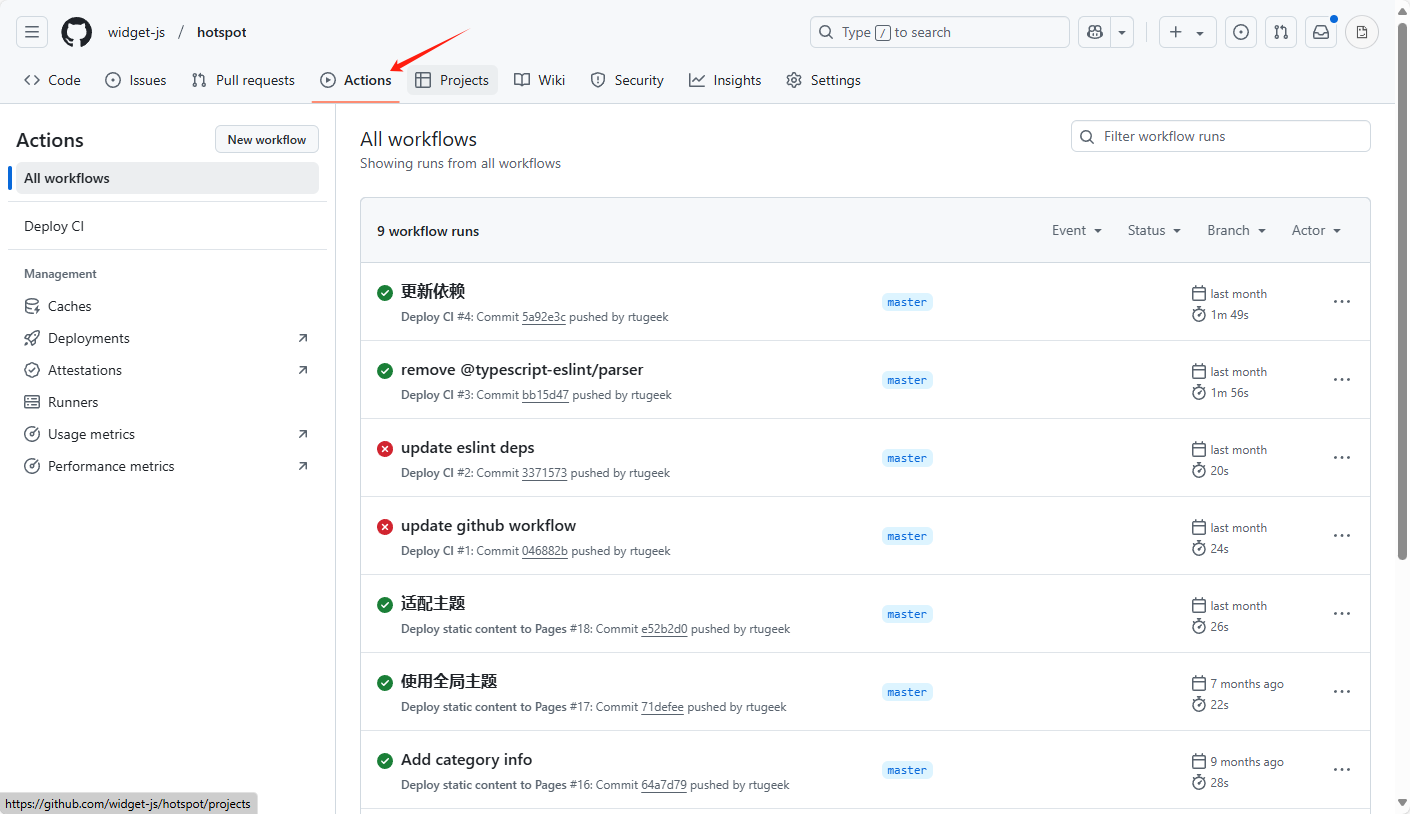
✅ After a successful deployment, you can check if the page can be accessed normally via https://<your-github-username>.github.io/<your-repo-name>.
Publish Widget Package
Run the following command in the project root directory to publish the widget package:
widget publish -k <your-publish-token>The output of the following information indicates a successful publication:
✔ Widget.json found: C:/xxx/xx/xx/widget.json
i Package name: xx.xxx.xx
i Widget size: xx
✔ Widget published successfully.
WARNING
After publication, you need to wait for administrator approval. Once approved, the widget package can be searched in the desktop widget client. Contact the administrator at rtugeek@gmail.com to expedite the review.