Internationalization
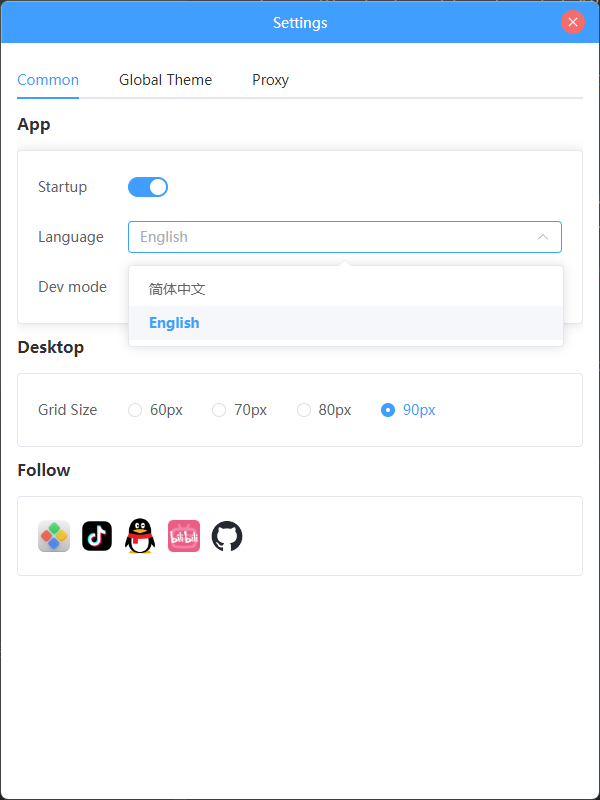
widgetjs provides the useAppLanguage composition API to help widgets receive the initial value and change notifications of the application language, thereby achieving internationalization (i18n) support.
Below is an example of integration with Vue I18n, along with common precautions.
Quick Example
import { useAppLanguage } from '@widget-js/vue3'

export default {
  setup() {
    // Register language callbacks: onLoad — triggered when the app starts or first reads the language; onChange — triggered when the language is switched
    useAppLanguage({
      onLoad: (lang) => {
        // The language read during component initialization, lang values are 'zh' or 'en'
        console.log('loaded language:', lang)
      },
      onChange: (lang) => {
        // Language change callback
        console.log('language changed to:', lang)
      },
    })
  },
}
Integration with Vue I18n (Recommended)
It is recommended to use Vue I18n to manage the translation text of the application. The following example demonstrates synchronizing the application language to the locale of Vue I18n within setup():
import { useI18n } from 'vue-i18n'
import { useAppLanguage } from '@widget-js/vue3'

export default {
  setup() {
    const { locale } = useI18n()

    useAppLanguage({
      onLoad: (lang) => {
        // Set initial language
        locale.value = lang
      },
      onChange: (lang) => {
        // Update i18n when language changes
        locale.value = lang
      },
    })
  },
}
If your project uses a global i18n instance (such as i18n.global.locale), you can also manipulate that instance directly.
WARNING
The application language currently only supports switching between Chinese (zh) and English (en); if you need support for more languages, please extend it at the application layer and synchronize it to the widget environment.
Recommended Resources
- Vue I18n Official Documentation: https://vue-i18n.intlify.dev/