Preparation
Basics
Before developing, you need to master some basic Web development knowledge, including:
Install Desktop Widget Client
Install from Microsoft Store

Download from this site

Enable Developer Mode
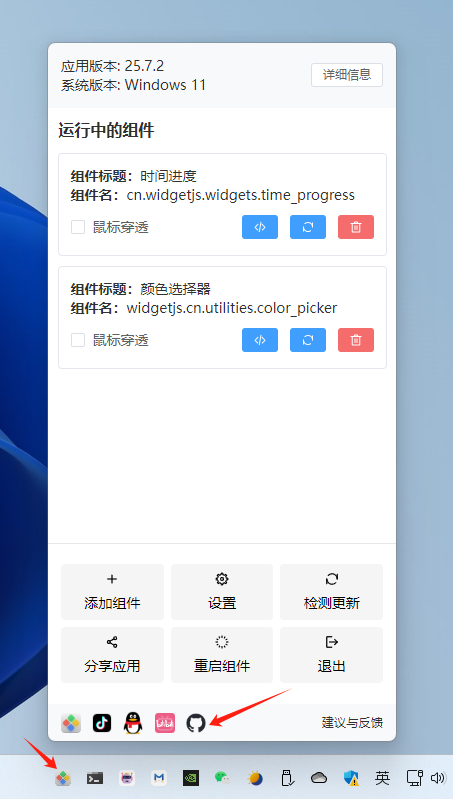
After opening the desktop widget client, right-click the tray icon in the bottom right corner, then long-press the GitHub icon for 5 seconds to enable Developer Mode
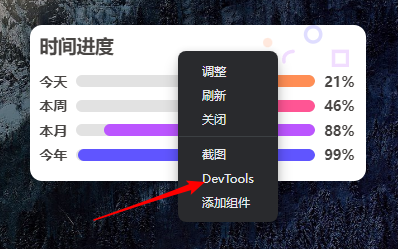
Once enabled, right-clicking on a widget will pop up the DevTools menu
TIP
DevTools is consistent with Chrome DevTools, where you can debug web pages.